

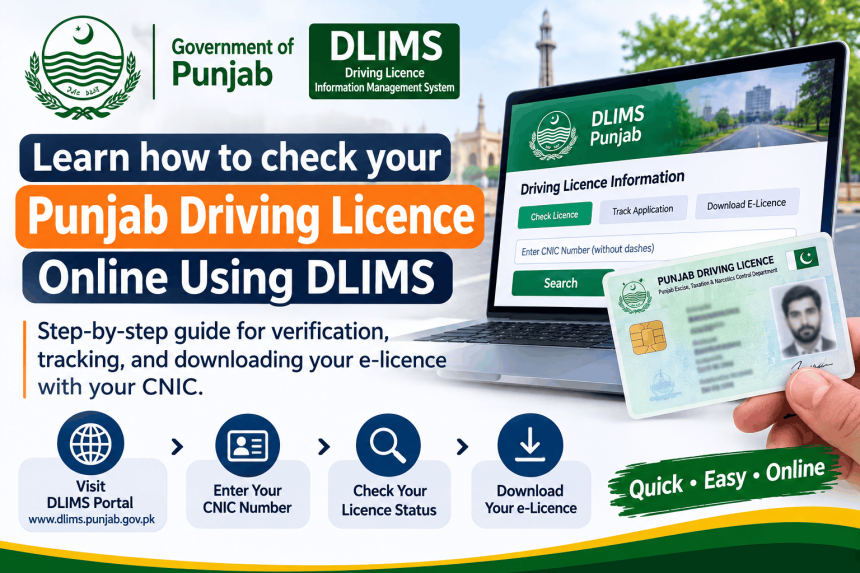
You can check your Punjab driving licence online for free using the official DLIMS portal at dlims.punjab.gov.pk . The system has three separate tools: Verify License (to confirm a licence is genuine), Track Application (to see where your card is), and e-License (to download a digital copy) . You do not need an account, an OTP, or an agent for any of these checks. This guide explains which tool to use, the details you need, and what to do if your record does not appear.
Which Tool Should You Use?
Picking the wrong tool is the most common reason people think their record is missing. Here is the difference .
| Tool | What You Need | What It Is For |
|---|---|---|
| Verify License | CNIC + Licence Number + Captcha | Confirming a licence is genuine and current |
| Track Application | CNIC + Captcha | Seeing where your application or card has reached |
| e-License | CNIC + Date of Birth + Captcha | Downloading a digital copy to use while waiting |
Important: If you only have your CNIC and not your licence number, use Track Application or e-License. Verify License requires the licence number printed on the card .
How to Verify a Licence (Step-by-Step)
Use this if you have the licence number and want to confirm it is real. This is useful for employers checking a driver, or for your own peace of mind .
Step 1: Go to the Official Page. Open dlims.punjab.gov.pk/verify on your phone or computer. Type the address yourself. Do not use links from WhatsApp .
Step 2: Choose the Licence Type. Select Regular License, International License, or Juvenile License. These are stored separately, so picking the wrong one will show “not found” .
Step 3: Enter Your Details. Type your 13-digit CNIC (no dashes or spaces) and your Licence Number exactly as it appears on the card, including any letters .
Step 4: Solve the Captcha. Answer the small maths question (for example, “What is 2 + 7”). Press Verify License .
Step 5: Read the Result. The screen will show whether the licence is valid, its categories, and its expiry date. If it says “not found,” check your CNIC format and licence number before worrying .
How to Track Your Application
If you have applied for a new licence, a renewal, or a duplicate, use this tool. It only needs your CNIC .
Step 1: Go to dlims.punjab.gov.pk/track.
Step 2: Enter your 13-digit CNIC without dashes.
Step 3: Solve the captcha and click Track License.
Step 4: The result shows your application stage. Common statuses include Submitted, Payment Confirmed, Under Review, Approved, Printing, and Dispatched .
What the statuses mean:
-
Submitted / Payment Confirmed: Your form and fee have been received.
-
Under Review / Approved: Staff are checking your papers.
-
Printing: Your card is being made.
-
Dispatched: Your card has been handed to the courier .
How to Download Your e-Licence
This is the digital version of your licence. It is legally valid and can be shown to traffic police if you have not received your plastic card yet .
Step 1: Go to dlims.punjab.gov.pk/elicense.
Step 2: Choose Regular License or International License.
Step 3: Enter your CNIC (no dashes) and your Date of Birth exactly as it appears on your record. The date must match, or the system will not generate the licence .
Step 4: Solve the captcha and click Generate e-License.
Step 5: Save the PDF to your phone. It has a QR code that traffic wardens can scan to verify it .
Common Problems and What to Do
“Record not found.” Check these in order: your CNIC is 13 digits with no dashes; you selected the right licence type (Regular, International, or Juvenile); your licence number is copied exactly; your date of birth matches your record . If your licence is very old (issued before DLIMS was introduced), it may never have been entered into the system. In that case, you must visit your licensing centre in person .
Payment shows unpaid. If you paid recently, wait up to 24 hours for the bank to sync. Do not pay again, because you may be charged twice. Use the “Verify Payment” option if available, or contact the helpline with your PSID receipt .
You applied on Dastak but cannot find the status. The Dastak app (dastak.punjab.gov.pk) is for applying and paying. The actual tracking and verification tools are on DLIMS . Log in to Dastak to check your application, or use the DLIMS Track tool with your CNIC .
Scam Warning: Do Not Pay Agents
The DLIMS checks are free. There is no fee, no OTP, and no agent involved . Be careful of websites that look like DLIMS but are not on the official .gov.pk domain. They may charge a “verification fee” or collect your CNIC for fraud . Always type dlims.punjab.gov.pk yourself. Never pay anyone to check your licence.
Frequently Asked Questions
How do I check my Punjab driving licence online?
Go to dlims.punjab.gov.pk. Use Verify License if you have your licence number, or Track Application if you only have your CNIC. Both are free and need no account .
Can I check my licence with just my CNIC?
Yes, for tracking and e-licence. Track Application only needs your CNIC. e-License needs your CNIC and date of birth. Verify License needs your CNIC and licence number .
How do I download my e-licence?
Go to dlims.punjab.gov.pk/elicense. Enter your CNIC, date of birth, and the captcha. The PDF will generate if your record matches .
What does “dispatched” mean on DLIMS?
It means your card has been printed and handed to the courier (Pakistan Post). It should arrive within a few days. If it stays on “dispatched” for more than three weeks, contact your licensing centre .
Is DLIMS free to use?
Yes. Verification, tracking, and e-licence generation are all free. There is no fee for checking your status. Do not pay any agent or third-party website .